FEATURERuntime Statistics for FunctionsRead more
← Back to Changelog

Step-by-Step Playback for AI Agent Edits

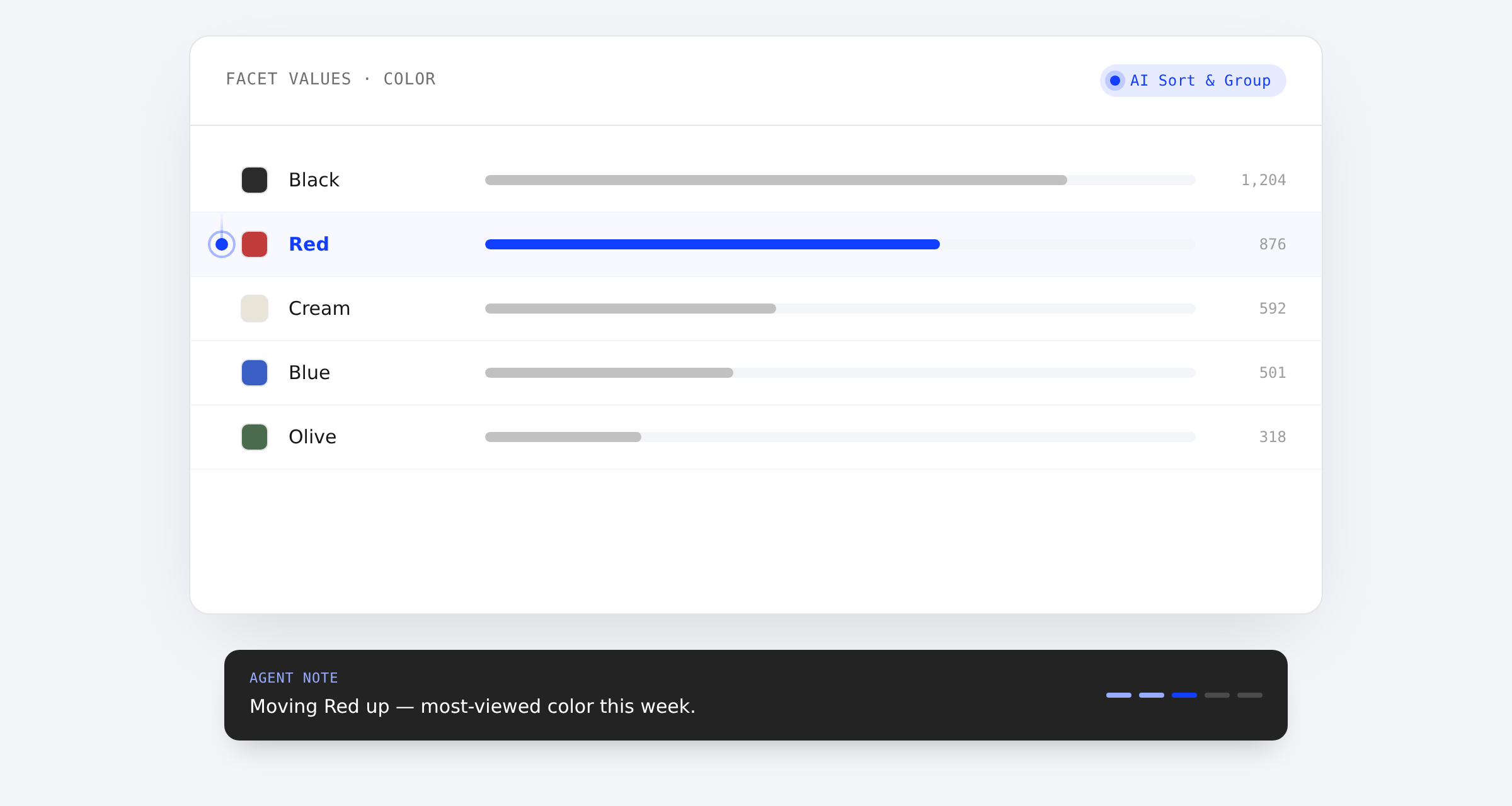
Facet values editor with an AI Sort & Group agent badge, a marker traveling to the Red row, and a caption toast reading 'Moving Red up — most-viewed color this week.'

When an MCP-connected agent — or the dashboard's own AI Sort & Group action — reorders facet values or updates a merchandising rule, Layers now replays the change step by step in your browser instead of snapping straight to the result. A marker travels to each row or field as it's touched, with a caption drawn from the agent's own note explaining why. Move your mouse, switch tabs, or turn on reduced motion, and playback jumps straight to the final state.

Learn more

Subscribe to the changelog

Releases land wherever your team already reads.

Slack

Subscribe to changelog

1

Choose a Slack channel

Open the Slack channel where releases should land. Most teams use #product-updates.
2

Subscribe to releases

Paste this command into the Slack channel.

/feed subscribe https://www.uselayers.com/changelog/rss.xml
3

Approve the confirmation post

Approve the confirmation Slack post. From then on each release arrives as a message with its title, date, and link.