← Back to Changelog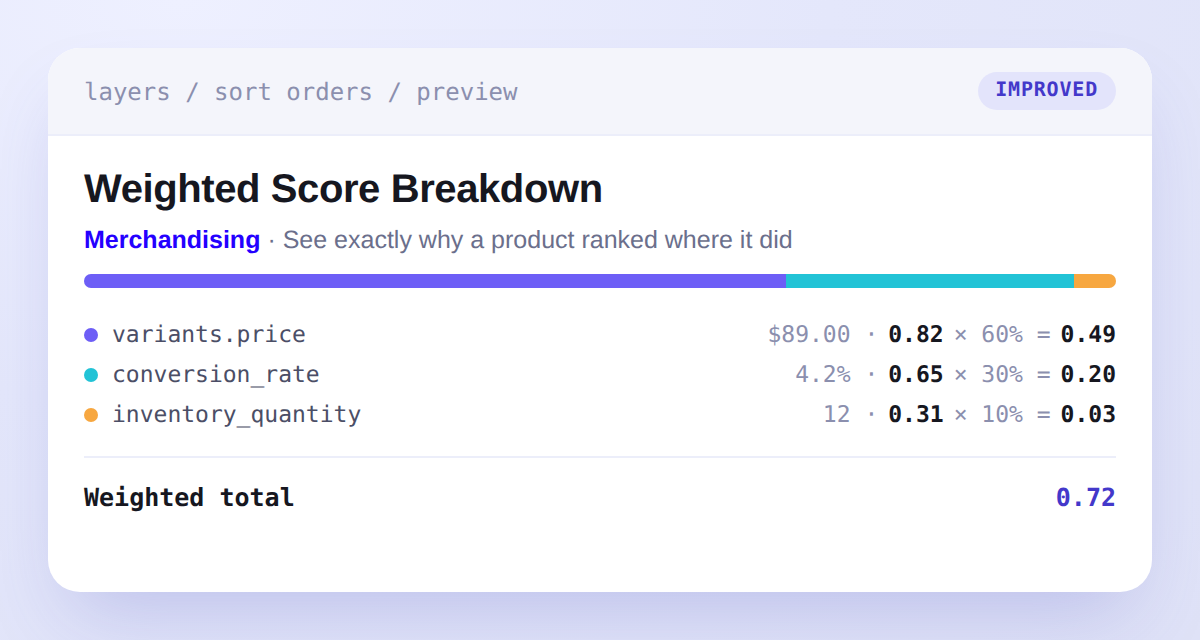
Weighted Score Breakdown
See exactly why a product ranked where it did.
Hovering a product in the sort order preview used to show a single opaque Weighted score for any Weighted Group blend. It now breaks that score down feature by feature: a stacked contribution bar, plus one row per feature with the raw value, normalized score, weight share, and contribution (normalized × share = contribution), followed by a Weighted total. Row colors match each feature's slider tint in the editor, and any feature that's gated out or has no value for a product shows as — with a 0 contribution so the blend always reconciles.
Scores are scoped to the current result set — use the breakdown to compare contributions within one preview rather than absolute values across sort orders.