Audit Log
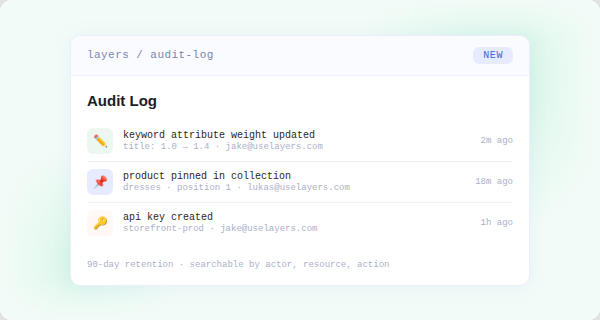
Every configuration change made inside Layers is now recorded in a permanent audit log. You can see who changed what, when it happened, and what it was before across search behavior, merchandising rules, keyword attributes, sort orders, collection settings, and more.
What's logged
The audit log captures changes across the full Layers configuration surface:
- Search behavior: attribute weights, ranking signals, semantic settings, zero-result fallbacks
- Merchandising: pinned products, buried products, boosts, collection rule edits, campaign scheduling
- Keyword attributes: additions, removals, and weight changes
- Sort orders: new sorts, deleted sorts, configuration edits
- Facets and filters: filter creation, reordering, visibility toggles
- User permissions: user invitations, role changes, access revocations
- API keys: key creation and deletion events
- Storefront configuration: endpoint changes, locale mapping, B2B catalog assignments
What each entry includes
Each audit event records:
- The actor: user name and email
- The action: what was changed
- The resource: the specific rule, setting, or object affected
- A before/after diff for any field that changed
- An ISO 8601 timestamp with full timezone context
Access
The audit log is available to all admin users under Settings > Audit Log. Entries are retained for 90 days and searchable by actor, resource type, date range, and action category.
This feature is on by default. No configuration required.
For teams managing multiple users or operating under compliance requirements, the audit log gives you the trail you need to understand exactly what changed and who changed it.