FEATUREBanner AnalyticsRead more
← Back to Changelog

Banner Analytics

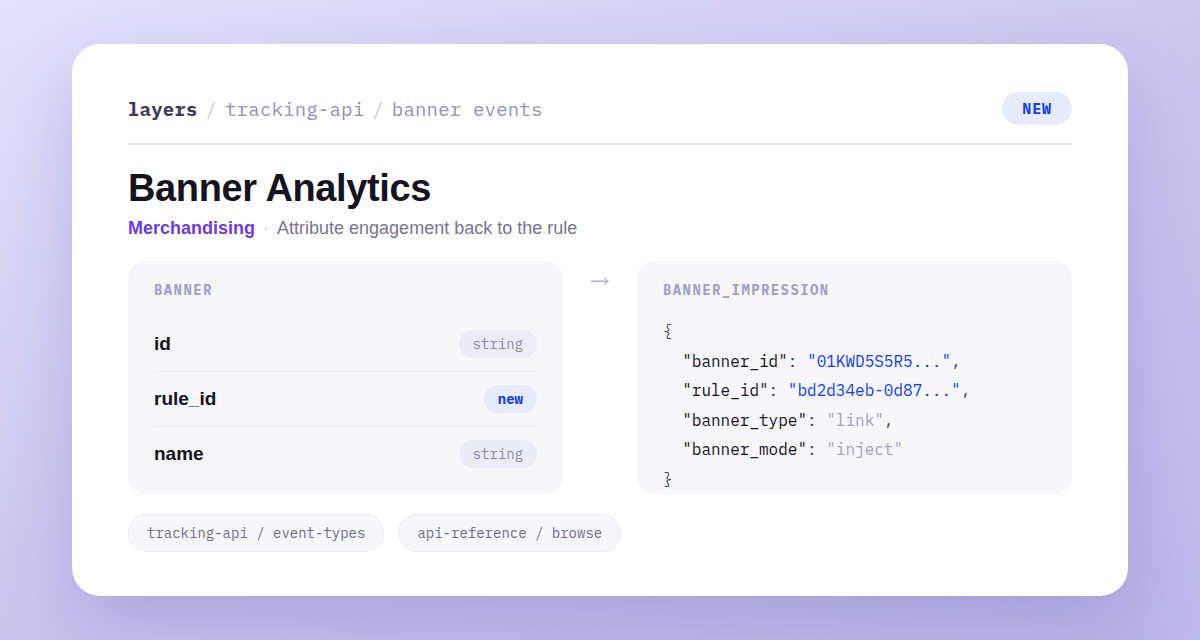
A banner_impression tracking event payload showing banner_id, rule_id, banner_type, banner_mode, and position fields

Every banner in a Browse response now carries a rule_id, so you always know which merchandising rule placed it.

Two new tracking events, banner_impression and banner_click, capture when shoppers see and click a banner, with that rule ID attached. Now you can measure engagement rule by rule instead of guessing which banners pull their weight.

Learn more

Subscribe to the changelog

Releases land wherever your team already reads.

Slack

Subscribe to changelog

1

Choose a Slack channel

Open the Slack channel where releases should land. Most teams use #product-updates.
2

Subscribe to releases

Paste this command into the Slack channel.

/feed subscribe https://www.uselayers.com/changelog/rss.xml
3

Approve the confirmation post

Approve the confirmation Slack post. From then on each release arrives as a message with its title, date, and link.