← Back to Changelog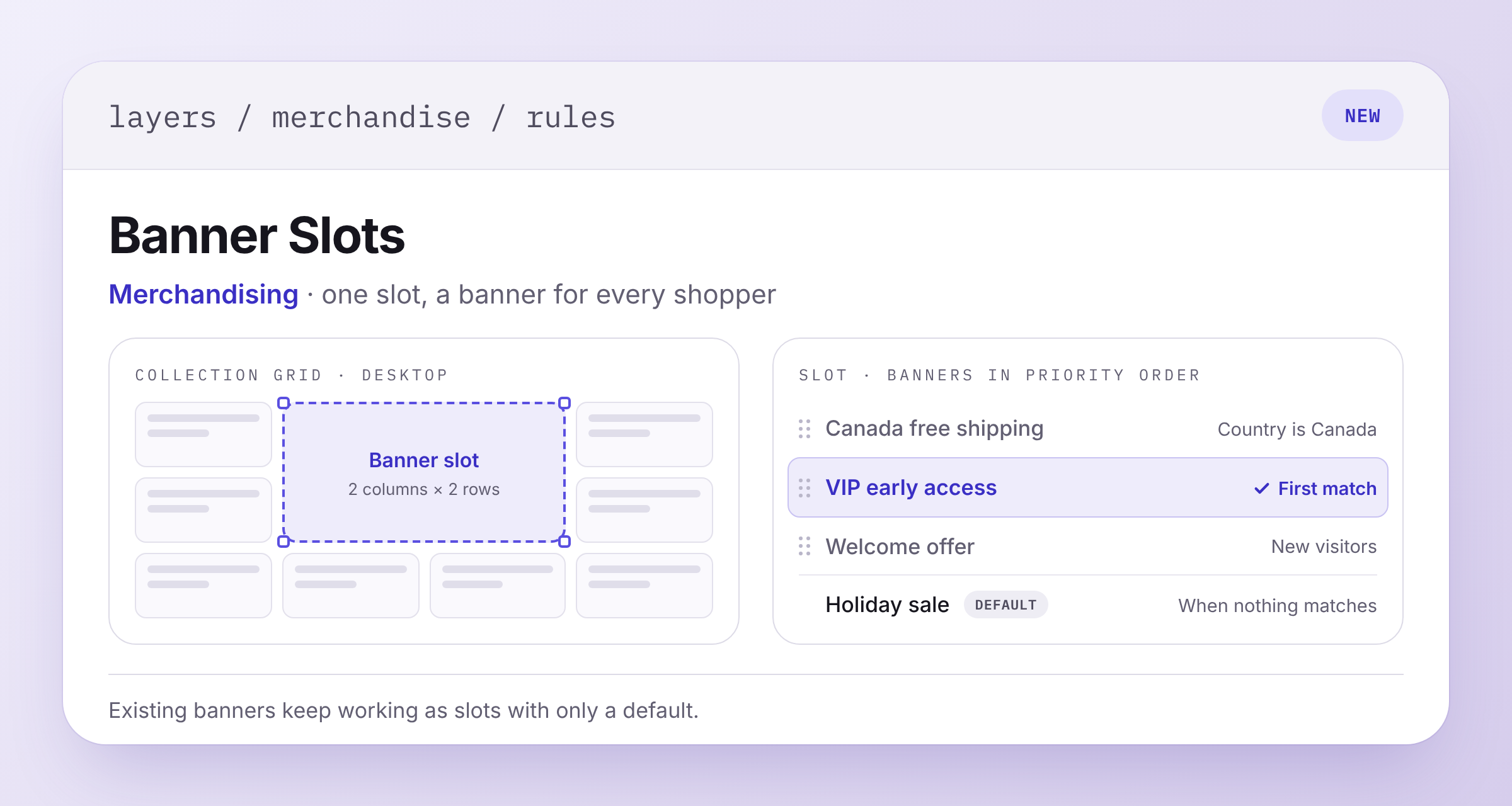
Banner Slots With Conditional Banners
Banners in a merchandising rule now sit in slots. Draw a slot on the collection grid to reserve a position and size, then arrange it separately for desktop and mobile.
Each slot holds a Default banner and as many conditional banners as you need. A conditional has its own media, conditions, audiences, and schedule, so a VIP offer and a regional promo can share one spot.
A shopper sees one banner per slot. Layers checks the conditionals from top to bottom and shows the first match, or the default if none match. Drag the rows to set priority.
Your existing banners already work as slots with only a default, so there's nothing to rebuild. The Browse API returns the one selected banner per slot, with a new slot_id field.