FEATURECross-Content Recommendation BlocksRead more
← Back to Changelog

Cross-Content Recommendation Blocks

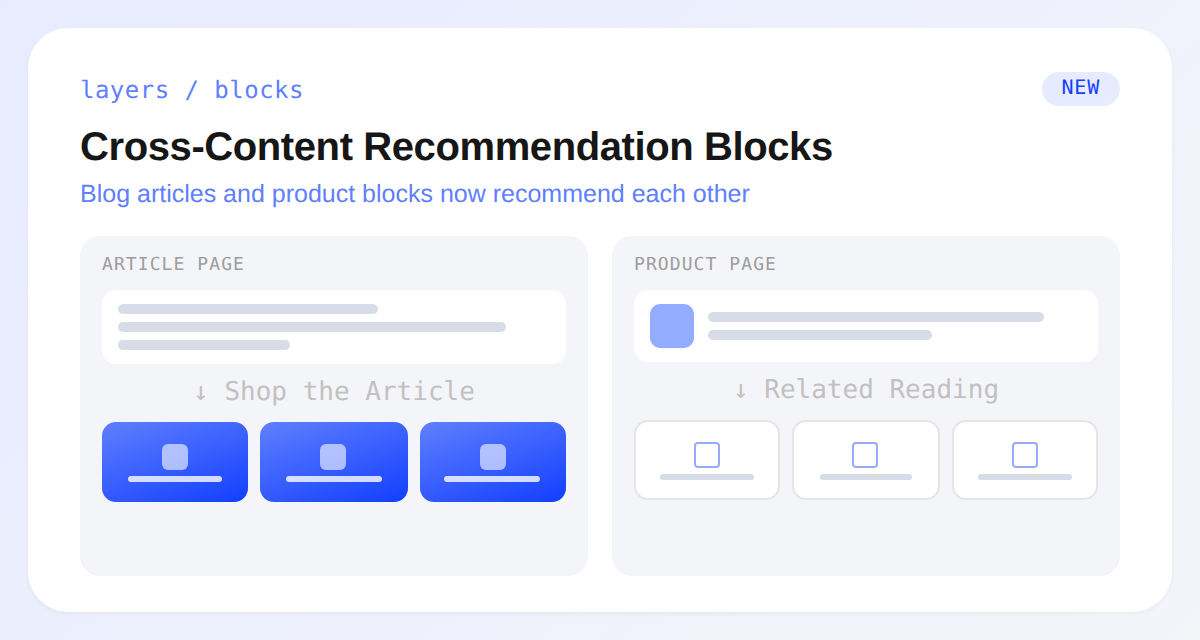
A blog article page showing a Shop the Article product rail and a Related Reading content rail from the new cross-content recommendation blocks

Recommendation blocks can now cross the line between products and content.

A new Blog Article anchor lets you add blocks directly to article pages.

Pick the Shop the Article strategy and the block surfaces the products already linked in the article body first, then fills any remaining slots with similar products from the article's own content.

Going the other way, Related Reading lets product, cart, and article blocks recommend articles or pages instead of products, pointing shoppers to a buying guide, a care guide, or another article tied to what they're looking at.

Learn more

Subscribe to the changelog

Releases land wherever your team already reads.

Slack

Subscribe to changelog

1

Choose a Slack channel

Open the Slack channel where releases should land. Most teams use #product-updates.
2

Subscribe to releases

Paste this command into the Slack channel.

/feed subscribe https://www.uselayers.com/changelog/rss.xml
3

Approve the confirmation post

Approve the confirmation Slack post. From then on each release arrives as a message with its title, date, and link.