FEATURERuntime Statistics for FunctionsRead more
← Back to Changelog

Listrak Campaign Targeting

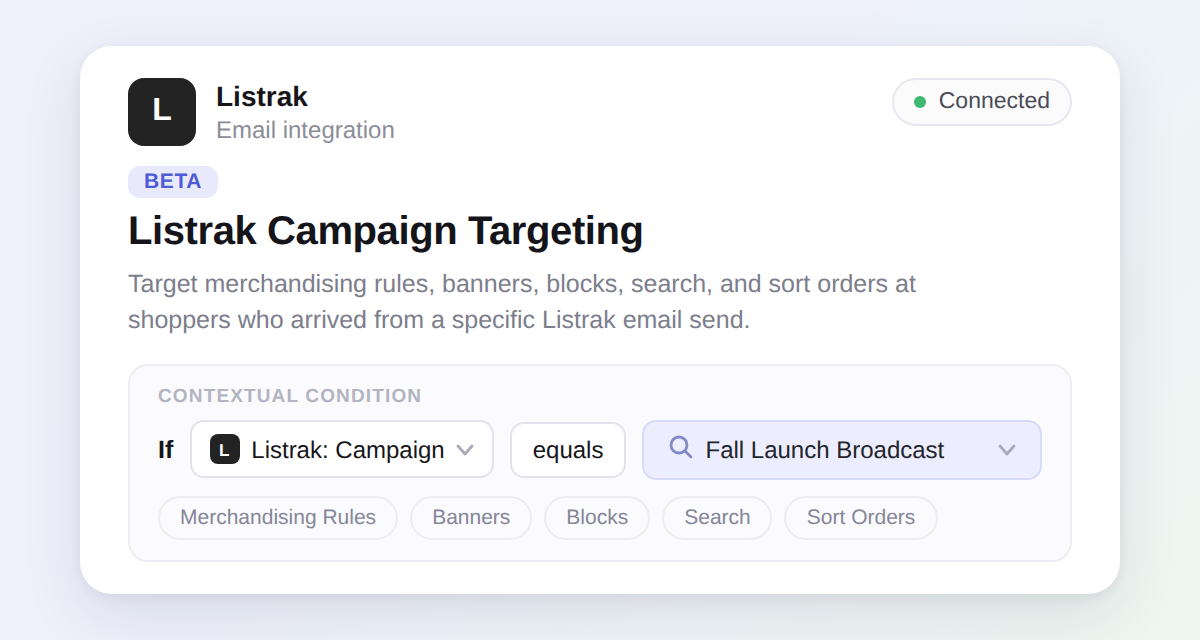
Listrak: Campaign condition in the contextual conditions builder, with the Listrak integration shown as connected

Connect Listrak from Settings → Integrations and target any contextual condition — merchandising rules, banners, blocks, product sequences, search, and sort orders — at shoppers who arrived from a specific Listrak broadcast. Pick the message from a searchable list instead of copying UTM parameters by hand.

Your Listrak messages sync automatically on connect and refresh every 15 minutes, so newly launched broadcasts show up in the picker shortly after they go out.

Learn more

Subscribe to the changelog

Releases land wherever your team already reads.

Slack

Subscribe to changelog

1

Choose a Slack channel

Open the Slack channel where releases should land. Most teams use #product-updates.
2

Subscribe to releases

Paste this command into the Slack channel.

/feed subscribe https://www.uselayers.com/changelog/rss.xml
3

Approve the confirmation post

Approve the confirmation Slack post. From then on each release arrives as a message with its title, date, and link.