FEATUREAnchor Constraints for Similar ProductsRead more
← Back to Changelog

Organizations

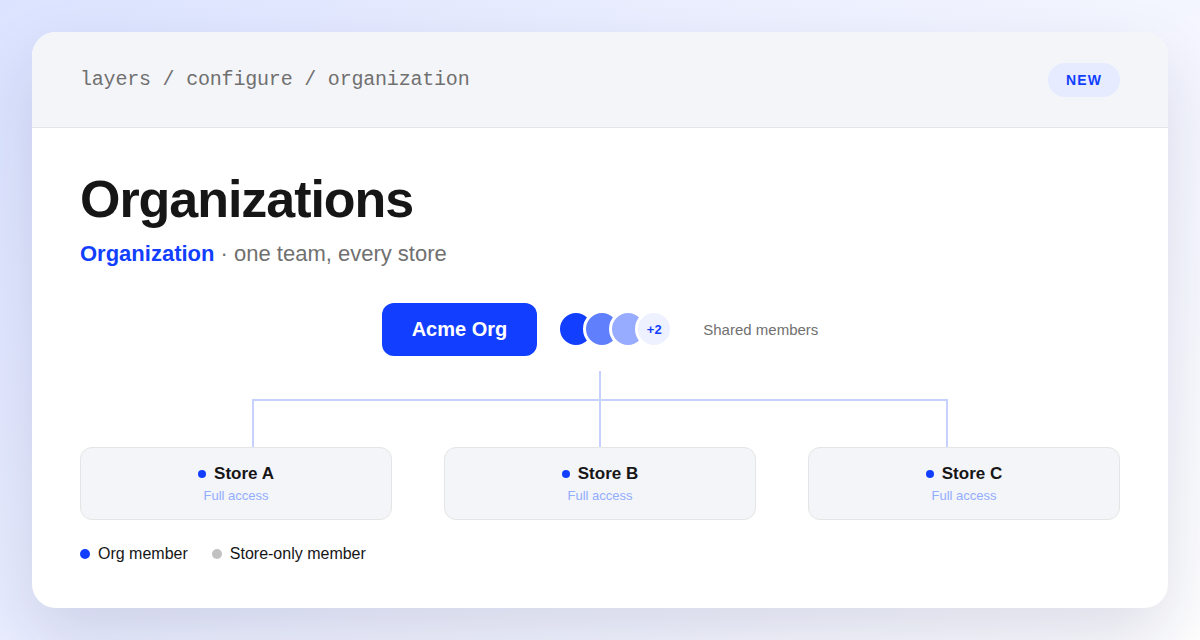
An organization node with shared team member avatars connected to three stores, each showing full access

If you manage more than one Layers store, you can now group them under a single organization instead of managing team access store by store.

Invite teammates once at the organization level and org owners and admins automatically get access to every store attached to it — no more adding the same person to each store individually. Switch between your organization and any of its stores from the store switcher, and manage members, invites, and attached stores from a new Organization section in Configure.

Learn more

Subscribe to the changelog

Releases land wherever your team already reads.

Slack

Subscribe to changelog

1

Choose a Slack channel

Open the Slack channel where releases should land. Most teams use #product-updates.
2

Subscribe to releases

Paste this command into the Slack channel.

/feed subscribe https://www.uselayers.com/changelog/rss.xml
3

Approve the confirmation post

Approve the confirmation Slack post. From then on each release arrives as a message with its title, date, and link.