FEATURERegional Autocomplete SuggestionsRead more
← Back to Changelog

Regional Autocomplete Suggestions

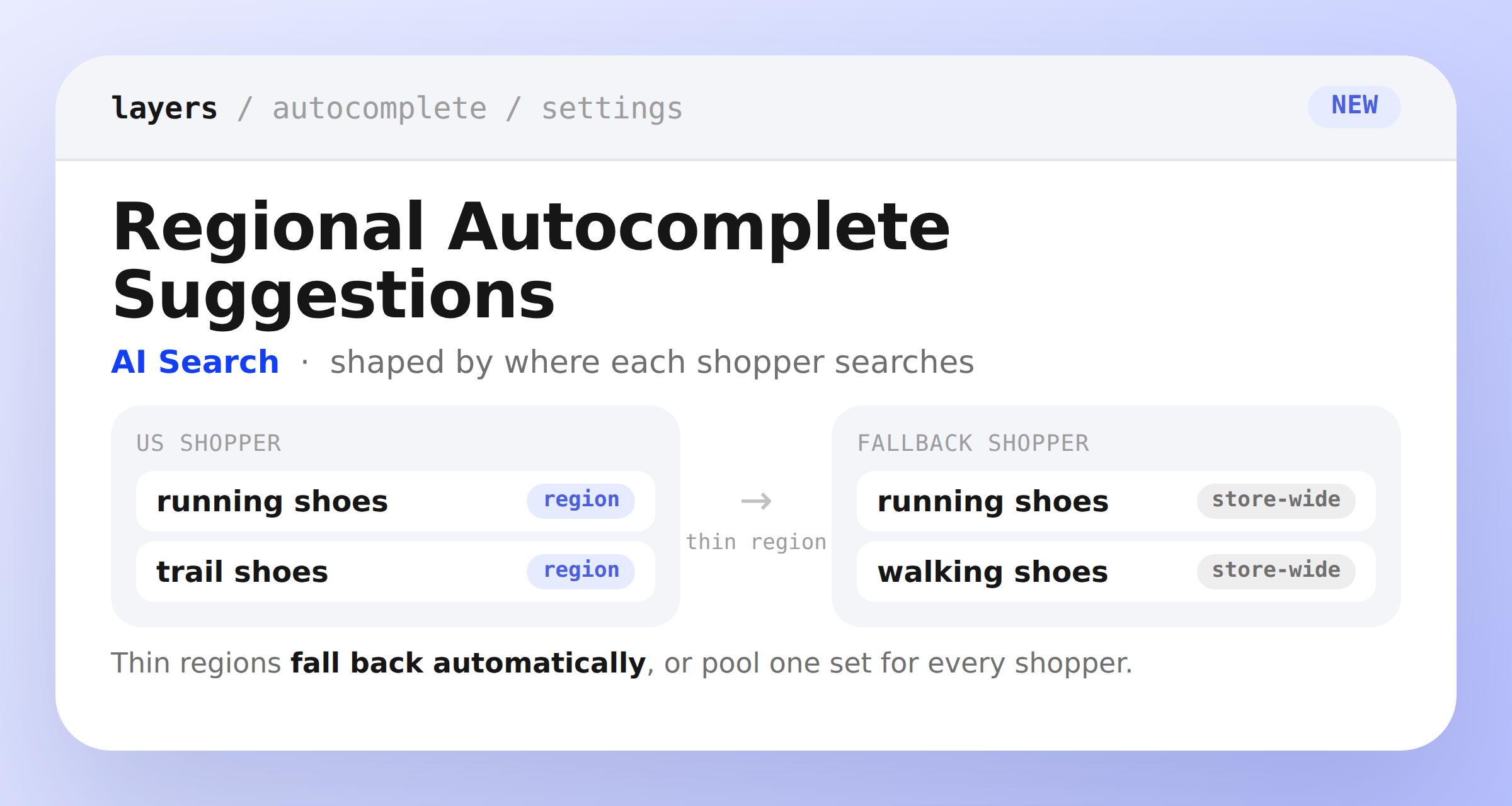
Two autocomplete panels side by side: a US shopper seeing suggestions built from that country's own searches, and a shopper in a thin region falling back to the store-wide set

Autocomplete suggestions now adapt to each shopper's country automatically. Layers builds suggestions from that country's own search activity, so the phrasing shoppers see matches how people actually search where they are.

Countries that don't have enough search history yet aren't left with thin suggestions. Layers falls back to your store's shared, store-wide suggestion set until that region builds up its own signal.

Want the same suggestions for everyone? Switch to a single pooled set for all shoppers from the new Regional Suggestions card in Settings → Autocomplete.

Learn more

Subscribe to the changelog

Releases land wherever your team already reads.

Slack

Subscribe to changelog

1

Choose a Slack channel

Open the Slack channel where releases should land. Most teams use #product-updates.
2

Subscribe to releases

Paste this command into the Slack channel.

/feed subscribe https://www.uselayers.com/changelog/rss.xml
3

Approve the confirmation post

Approve the confirmation Slack post. From then on each release arrives as a message with its title, date, and link.