FEATURERuntime Statistics for FunctionsRead more
← Back to Changelog

Sequence Metrics & Insights

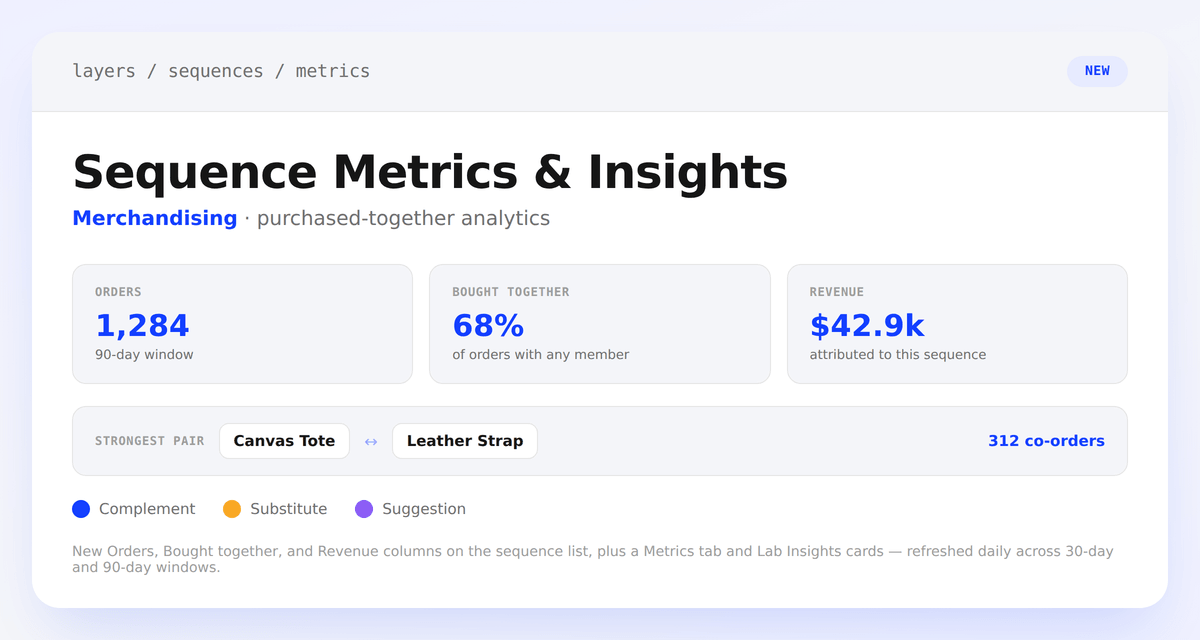
Product sequence metrics tiles for Orders, Bought Together, and Revenue, a strongest-pair callout, and a legend of Complement, Substitute, and Suggestion insight types

Product sequences now show how often their members are actually bought together. Every sequence gets new Orders, Bought Together, and Revenue columns in the list, plus a Metrics tab on the edit page with 30-day and 90-day co-purchase data and its strongest pair.

The same data now powers new Lab Insights cards: a complement signal when members are reliably bought together, a substitute signal when shoppers pick one over the other, and a suggestion for strong co-purchase pairs that aren't in a sequence yet.

Learn more

Subscribe to the changelog

Releases land wherever your team already reads.

Slack

Subscribe to changelog

1

Choose a Slack channel

Open the Slack channel where releases should land. Most teams use #product-updates.
2

Subscribe to releases

Paste this command into the Slack channel.

/feed subscribe https://www.uselayers.com/changelog/rss.xml
3

Approve the confirmation post

Approve the confirmation Slack post. From then on each release arrives as a message with its title, date, and link.