← Back to Changelog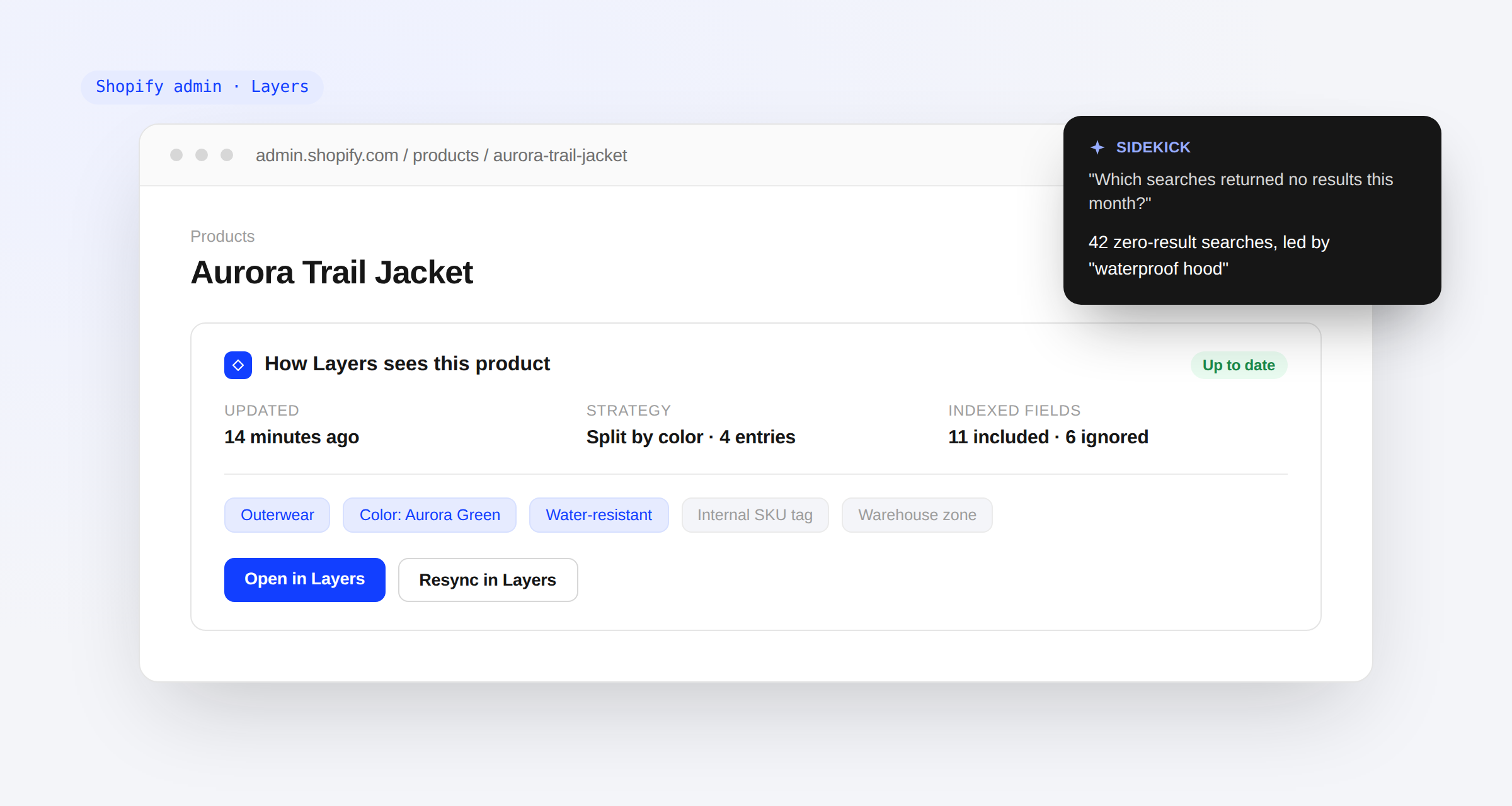
Shopify Admin Extensions
See how Layers treats a product without leaving Shopify.
The Layers app now adds cards to your product, variant, and collection pages in Shopify admin, showing indexing freshness, default sort, and merchandising rules. A new Resync in Layers action and quick links jump straight into the matching page in your Layers dashboard.
- Index and merchandising cards: Freshness, indexing strategy, default sort, and up to five merchandising rules, right on the pages you're already working from.
- One-click resync: Queue a resync for a product or collection without leaving Shopify admin.
- Ask Shopify Sidekick: Get read-only answers about zero-result searches, product indexing, and collection rules and sort, with links back to the Layers dashboard.