FEATURERuntime Statistics for FunctionsRead more
← Back to Changelog

Sizes Attribute for Early Hints

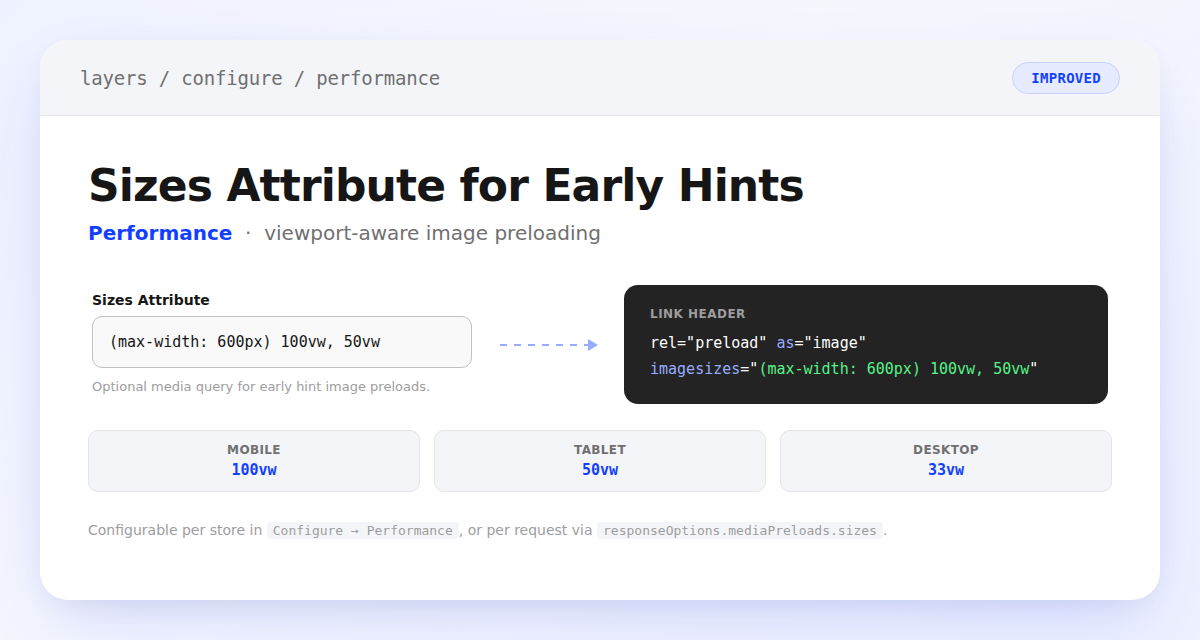
A Sizes Attribute settings field showing a media query, with a dashed arrow to the resulting imagesizes attribute in the early hints preload Link header

Early hints image preloads now support a configurable sizes attribute, so browsers can pick the right srcset width for each viewport instead of guessing. Set a media query like (max-width: 600px) 100vw, 50vw from Configure → Performance, or override it per request via responseOptions.mediaPreloads.sizes. Layers sends it as the imagesizes attribute on the preload Link header, right alongside your existing srcset sizes.

Learn more

Subscribe to the changelog

Releases land wherever your team already reads.

Slack

Subscribe to changelog

1

Choose a Slack channel

Open the Slack channel where releases should land. Most teams use #product-updates.
2

Subscribe to releases

Paste this command into the Slack channel.

/feed subscribe https://www.uselayers.com/changelog/rss.xml
3

Approve the confirmation post

Approve the confirmation Slack post. From then on each release arrives as a message with its title, date, and link.