← Back to Changelog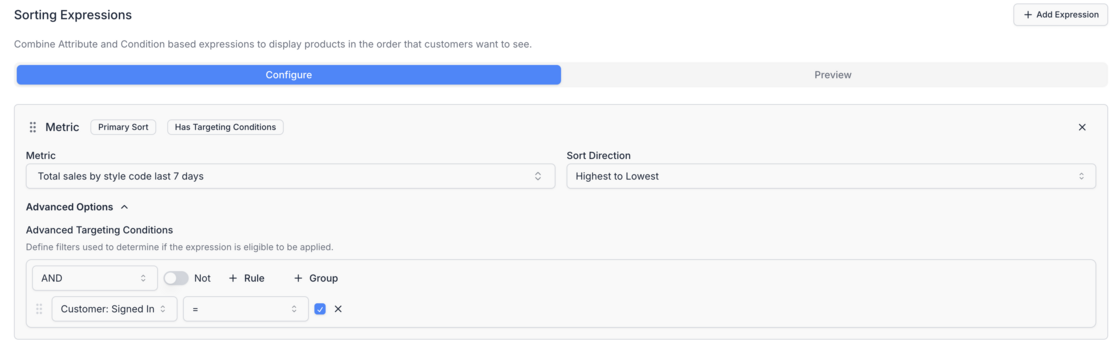
Targeting Conditions Now Available in Sort Orders & Merchandising Expressions
You can now define Advanced Targeting Conditions directly within your Sort Orders and Merchandising Rules.
These conditions let you include or exclude specific expressions based on customer or contextual criteria; giving you finer control over when certain ranking or merchandising logic should apply.
For example:
- Only apply a sales-based sort when the customer is signed in.
- Exclude a promotional rule if the cart value is below $50.
- Show different ranking weights based on market, device, or segment.
This update makes your merchandising and ranking logic more adaptive and personalized, ensuring every shopper sees the most relevant product order for their context.